
EagleEyes-plus
About
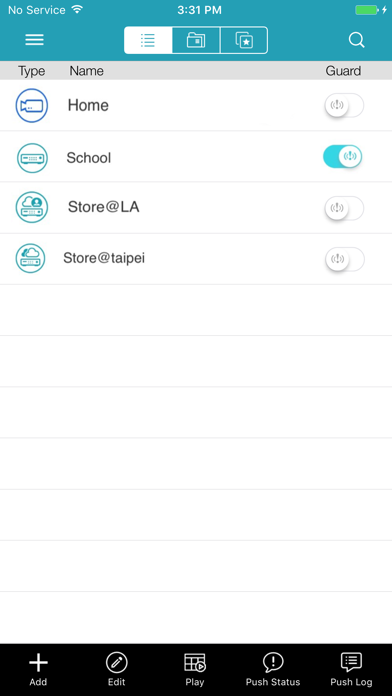
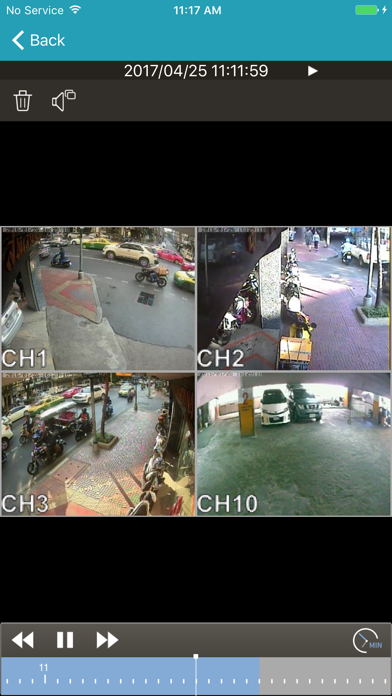
What is AVTECH EagleEyes-plus?AVTECH EagleEyes-plus is an application for all valued customer of AVTECH Corporation only.EagleEyes-plus is very easy and convenient to use, a powerful feature with user-friendly interface design.Function description:1. Real-time live video streaming remote monitor IP-Camera and DVR/NVR device(AVTECH product only)2. Support DVR/NVR single, multi-channel monitor switching3. Support TCP/IP protocol4. Auto re-login function after disconnect5. Support video type such as: MPEG4, H.264, H.265 for DVR/NVR/IPCAM6. Support PTZ control(Normal/Pelco-D/Pelco-P)7. Display video loss/cover channel8. Support Push Video/Status NotificationTouch panel function description:1. One touch to switch channel2. One touch to control PTZ Hot-Point3. Double click to max zoom in/out4. T
Screenshots

How to install EagleEyes-plus on iOS
- Download UnKeySign on your iPhone
- Import EagleEyes-plus IPA into UnKeySign
- Add your P12 certificate and provisioning profile
- Tap Sign — the app installs automatically