

Bridges: Link Formatting
About
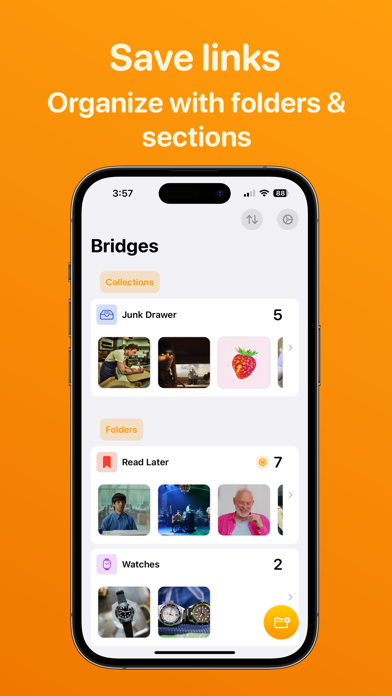
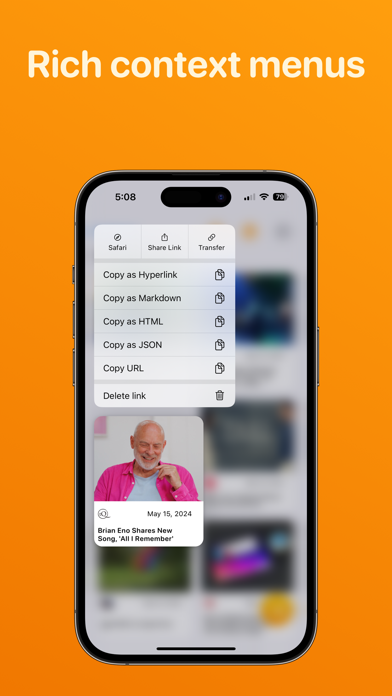
Bridges is the best way to collect custom formatted links. Saving a link for your podcast, newsletter, or blog post has never been easier. If you’ve ever had the task to collect links for a project you’ll love Bridges. Bridges eliminates any tedious URL editing for making a raw URL more human readable. When saving a link to Bridges you give it a title and it can be used when you copy the link later on. Need a link with a custom title in markdown? One tap away. Need a URL as a hyperlink? One tap away. Even better if you set all the links into a folder you can copy all of these links in the format you need in a few taps. The supported formats include: Hyperlink, Markdown, JSON, HTML, URL. Organize the links into different folders and keep each folder in a section. All your data is stored
Screenshots




How to install Bridges: Link Formatting on iOS
- Download UnKeySign on your iPhone
- Import Bridges: Link Formatting IPA into UnKeySign
- Add your P12 certificate and provisioning profile
- Tap Sign — the app installs automatically